
⚽ StrikerSync – Football News & Analytics Theme
StrikerSync is a football news and analytics theme built with Astro 7, TypeScript, and Tailwind CSS. It provides a structured foundation for football editorial websites, sports publications, league coverage, match analysis, fixtures, standings, and football-focused content platforms.
The theme includes fictional seed/demo content that demonstrates its layouts and content-management workflow. Buyers can replace the included branding, teams, competitions, articles, match information, statistics, images, and contact details with their own content.
📄 Included Pages
StrikerSync includes:
• Homepage — Featured stories, score presentation, fixtures, League Lens, player and club spotlights, latest stories, polls, trending content, and newsletter interface.
• Leagues & Standings — Competition navigation, team standings, recent form, fixtures, and league information.
• Match Analysis — Match timeline, statistics, starting lineups, formations, predictions, and tactical analysis presentation.
• Newsroom — Top Stories, Breaking Desk, category filters, search, sorting, transfer content, trending stories, and seeded article pages.
• Contact — Contact form, support information, business hours, configurable contact details, and location presentation.
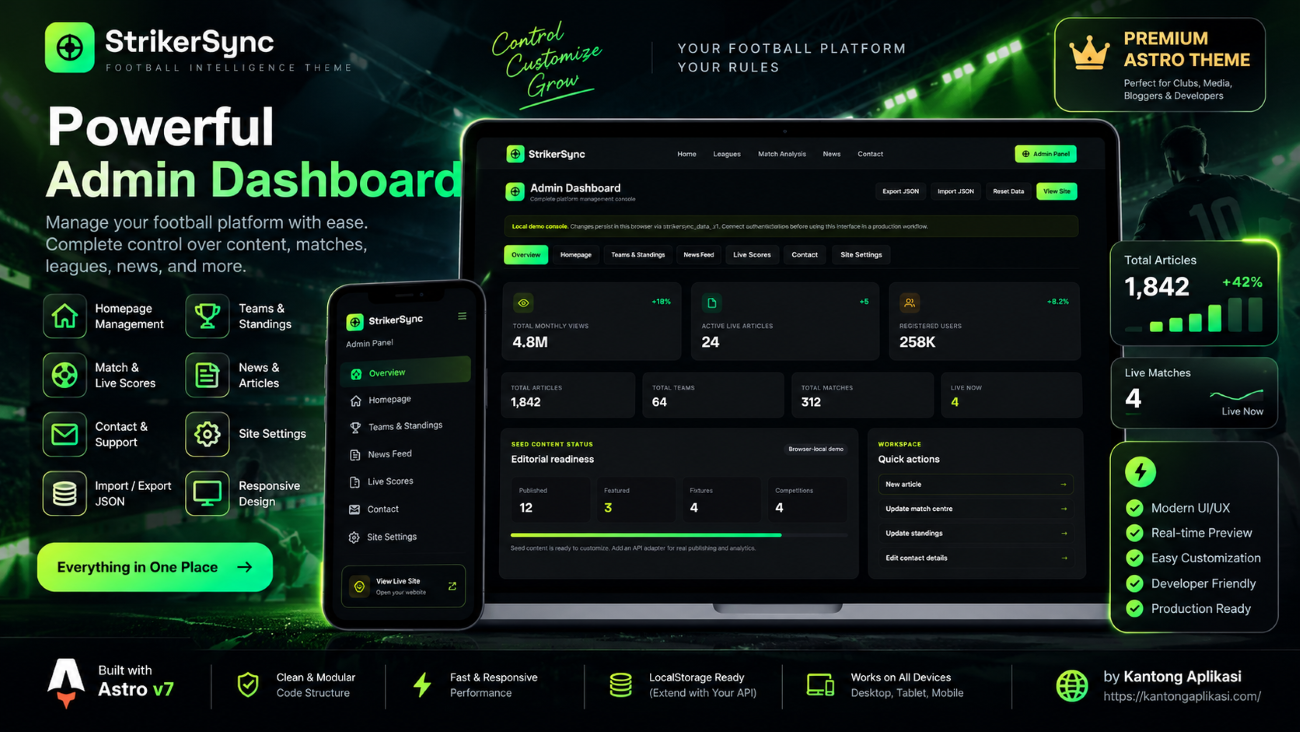
• Admin Dashboard — Browser-local interface for managing supported website content and settings.
📊 Content & Data
StrikerSync ships with fictional seed/demo content for teams, competitions, standings, articles, fixtures, match analysis, polls, metrics, contact details, and imagery.
Buyers should replace all demo names, football data, articles, images, contact information, social links, and branding before publishing the website for production use.
Core seed content is located in src/data/mockData.ts.
Type definitions are available in src/types/index.ts, while browser-local storage utilities are located in src/lib/store.ts.
⚙️ Admin Dashboard
StrikerSync includes a browser-local Admin Dashboard designed to make theme customization easier.
Supported management areas include:
• Homepage content
• Teams & standings
• News and editorial content
• Scores and fixtures
• Contact information
• Global site settings
• JSON import/export backups
Admin data is stored locally in the current browser using the strikersync_data_v1storage key.
The included Admin Dashboard is a browser-local customization interface. It is not a server-side CMS, database, authentication system, or multi-user publishing platform.
A backend or external API is required for production features such as multi-user editing, authentication, real-time football data, server-side publishing, persistent shared content, user accounts, analytics, or email delivery.
🎨 Customization
StrikerSync is structured to make content and branding replacement straightforward.
Main routes are located in src/pages.
Reusable interface components, including navigation, footer elements, cards, ticker components, and data initialization utilities, are located in src/components.
Global metadata and structured data are handled through rc/layouts/Layout.astro, while shared styling is located in src/styles/global.css.
Buyers can customize:
• Website name and branding
• Logo and favicon
• Teams and competitions
• League standings
• Fixtures and scores
• Match analysis data
• News and editorial content
• Images
• Contact information
• Social links
• Navigation and footer content
• SEO metadata
📘 Buyer Guide Included
The package includes a detailed BUYER-GUIDE.md.
It provides step-by-step instructions covering:
• Installation and local development
• Project structure
• Branding customization
• Homepage customization
• Teams and standings management
• Match and analysis data
• News and article management
• Admin Dashboard usage
• localStorage behavior
• JSON import/export
• Contact information
• Image replacement
• SEO configuration
• Deployment
• Troubleshooting
• Pre-launch checklist
The guide is intended to help buyers replace the demo content with their own information without having to understand the entire codebase first.
🔍 SEO
StrikerSync includes support for:
• Canonical URLs
• Page titles and meta descriptions
• Open Graph metadata
• Social sharing metadata
• Structured data
•robots.txt
• Favicon configuration
• Sitemap generation
Before production deployment, buyers should update the site URL in astro.config.mjs, review metadata in src/layouts/Layout.astro, update the sitemap reference in robots.txt, and replace the favicon and social sharing images with their own assets.
⚡ Responsive & Performance-Focused
The interface is designed to adapt across desktop, tablet, and mobile layouts.
The project uses Astro's architecture with lightweight frontend interactions where required, while maintaining a content-focused experience suitable for football news and analytics websites.
☁️ Deployment
The included project configuration supports deployment to Vercel.
Buyers should configure their own production domain, site URL, metadata, environment variables where required, and external services before launching their website.
The project can also be adapted for other deployment platforms supported by Astro.
ℹ️ Demo Data Notice
The football content included with StrikerSync is provided as fictional seed/demo content for theme presentation and customization.
The included scores, teams, competitions, articles, transfers, predictions, statistics, polls, metrics, and other football information should not be interpreted as a real-time football data service.
Buyers who require real-time scores, live statistics, production analytics, authentication, databases, or external publishing services should connect their preferred backend or API provider.
© License & Credits
StrikerSync is created and developed by Kantong Aplikasi.
License terms and permitted usage are provided in LICENSE.md.
Installation, configuration, customization, and deployment instructions are provided separately in BUYER-GUIDE.md.