
> [!TIP]
> 当前版本为破坏性更新,全程使用deepseek harness搭建
# astro-theme-sify
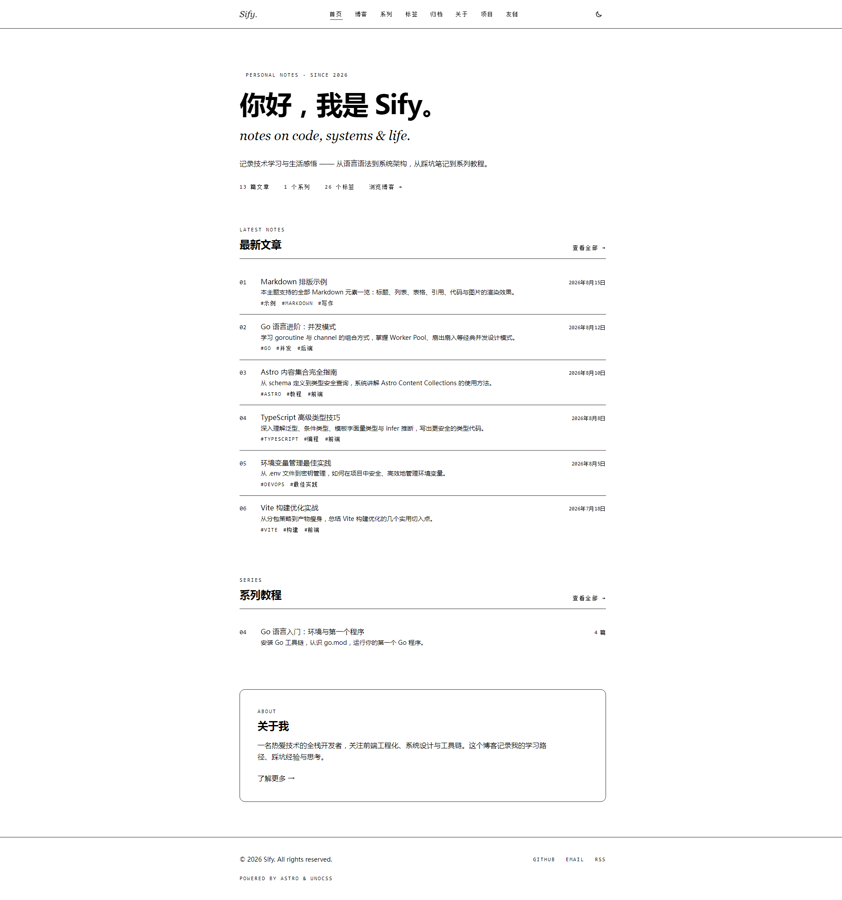
一个基于 **Astro 7 + TypeScript 7 + UnoCSS 66** 的个人博客主题,支持博客列表分页、系列教程、标签系统、时间归档、全站搜索、RSS / sitemap / robots、深浅色主题等完整功能。
## ✨ 功能特性
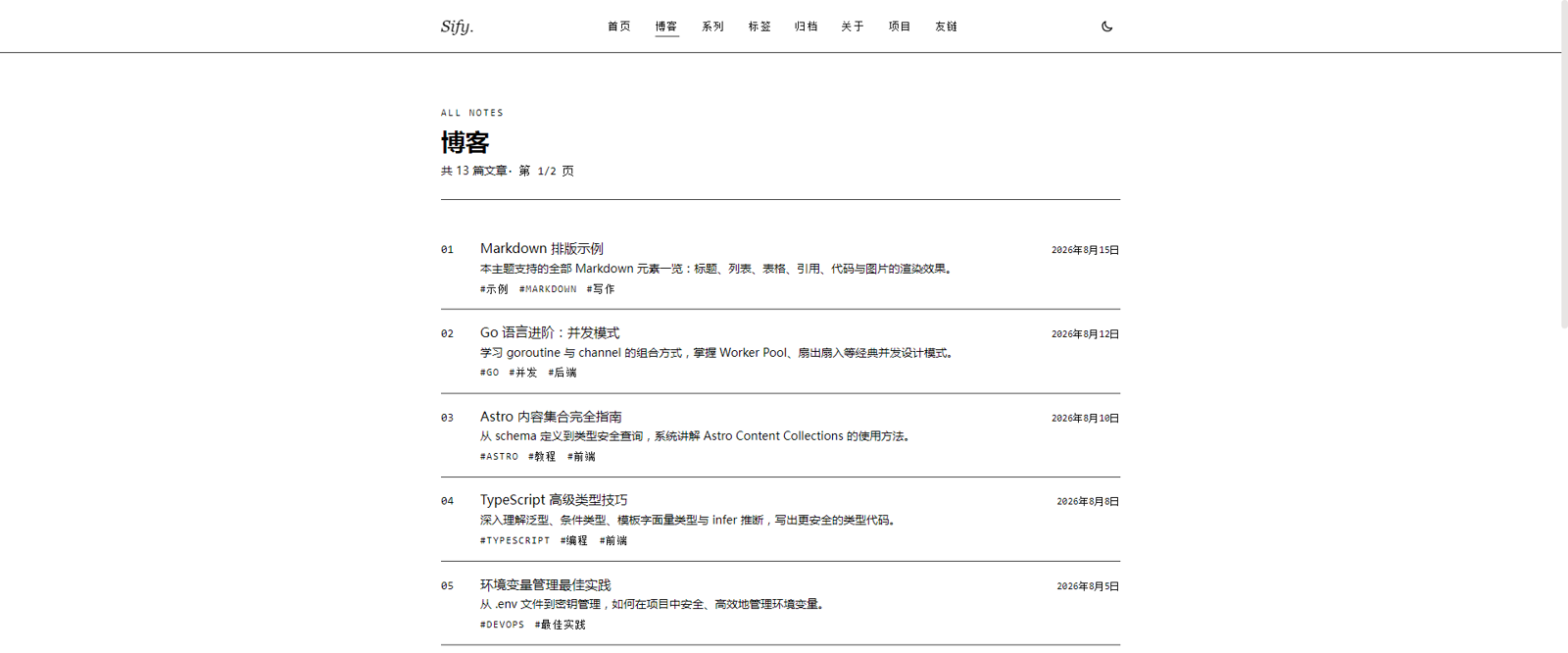
- 📝 **博客系统**:Markdown / MDX 写作,列表分页(`/blog`、`/blog/2`…),支持子目录 slug(如 `/blog/atcoder/abc424`)
- 📚 **系列教程**:按子目录分组系列,系列内文章目录 + 上一篇 / 下一篇导航
- 🏷️ **标签系统**:标签云 + 按标签分页的文章列表
- 🗂️ **时间归档**:按年 / 月分组的时间线归档
- 🔍 **站内搜索**:构建期注入全文索引,纯前端实时过滤,无需后端
- 🌓 **深浅色主题**:`dark:` 类驱动,跟随系统偏好 + 手动切换(localStorage 记忆)
- 🔗 **友链 / 项目 / 关于**:由 `public/links.json` 驱动的友链页等辅助页面
- 🔔 **SEO**:canonical、Open Graph、Twitter Card、JSON-LD(BlogPosting)、sitemap、robots.txt
- 📡 **RSS**:`/rss.xml` 订阅(最新 20 篇)
## 🚀 快速开始
```bash
# 安装依赖(建议使用 bun)
bun install
# 本地开发:http://localhost:4321
bun run dev
# 类型检查
bunx tsc --noEmit
# 生产构建(输出 dist/)
bun run build
# 预览构建产物
bun run preview
```
> 使用 npm / pnpm 亦可:`npm install` / `npm run dev`。
## 📁 目录结构
```
astro-theme-sify/
├── astro.config.ts # Astro 配置(UnoCSS、sitemap、shiki)
├── uno.config.ts # UnoCSS 配置(主题色、shortcuts)
├── tsconfig.json
├── package.json
├── public/
│ ├── favicon/ # 站点图标
│ ├── images/ # 头像 / 封面 / OG 占位图
│ ├── links.json # 友链数据
│ └── site.webmanifest
├── src/
│ ├── assets/styles/global.css # 全局样式(重置、排版、滚动条)
│ ├── components/ # 通用组件(Header/Footer/PostCard/Pagination…)
│ ├── content/
│ │ ├── blog/ # 博客文章(支持子目录)
│ │ └── series/ # 系列文章(按系列分子目录)
│ ├── content.config.ts # 内容集合 schema(zod 校验)
│ ├── layouts/ # BaseLayout / BlogPost / SeriesPost
│ ├── pages/ # 路由页面(详见下方路由表)
│ ├── plugins/ # Astro 插件(预留)
│ ├── site.config.ts # 站点配置(标题/导航/社交/页脚)
│ └── type.d.ts # 全局类型声明
└── scripts-web/ # 辅助脚本(预留)
```
### 路由一览
| 路径 | 说明 |
| --- | --- |
| `/` | 首页 |
| `/blog`、`/blog/2`… | 博客列表(每页 10 篇) |
| `/blog/<slug>` | 文章详情(slug 支持子目录,如 `atcoder/abc424`) |
| `/series` | 系列列表 |
| `/series/<slug>` | 系列介绍 + 目录 |
| `/series/<slug>/<order>` | 系列内文章(按 order 排序) |
| `/tags` | 标签云 |
| `/tags/<tag>`、`/tags/<tag>/2`… | 标签文章列表(分页) |
| `/archives` | 按年月归档 |
| `/search` | 站内搜索 |
| `/about` `/projects` `/links` | 关于 / 项目 / 友链 |
| `/rss.xml` `/robots.txt` `/sitemap-index.xml` | 订阅与 SEO 文件 |
## ✍️ 写作规范
### 博客文章(`src/content/blog/`)
```yaml
---
title: "文章标题"
description: "文章简短描述,用于列表和 SEO"
pubDate: 2026-08-15
updatedDate: 2026-08-16 # 可选
tags: ["标签1", "标签2"]
cover: "/images/cover-xxx.svg" # 可选,封面图
category: "分类" # 可选
draft: false # 可选,true 时不发布
---
```
### 系列文章(`src/content/series/系列名/`)
```yaml
---
title: "文章标题"
description: "文章简短描述"
pubDate: 2026-08-15
tags: ["标签1"]
order: 1 # 系列内排序,必填
cover: "/images/cover-xxx.svg" # 可选
draft: false # 可选
---
```
> 系列文章必须放在以系列名命名的子目录下(如 `series/go/01-intro.md`),系列名取自子目录名。
## ⚙️ 站点配置
编辑 `src/site.config.ts`:
- `site`:站点标题、描述、作者、URL、语言
- `nav`:顶部导航菜单
- `social`:GitHub / 邮箱 / RSS 等社交链接
- `footer`:版权信息与"Powered by"
友链数据编辑 `public/links.json`:
```json
[{ "name": "站点名", "url": "https://…", "avatar": "", "desc": "一句话介绍", "category": "分组" }]
```
## 🌐 部署
项目为纯静态输出,产物在 `dist/`,可直接部署到任意静态托管:
- **Vercel**:已提供 `vercel.json`(`bun run build` 构建)
- **Netlify**:已提供 `netlify.toml`
- **GitHub Pages**:已提供 `.github/workflows/deploy.yml`(Actions 自动构建发布)
- 其他平台:构建命令 `bun run build`,输出目录 `dist`
> 部署前请将 `src/site.config.ts` 中的 `site.url` 与 `astro.config.ts` 的 `site` 改为你的真实域名,否则 sitemap / canonical / RSS 链接会指向占位地址。
## 📦 技术栈
| 依赖 | 版本 |
| --- | --- |
| [Astro](https://astro.build) | ^7.2 |
| [TypeScript](https://www.typescriptlang.org) | 7.0 |
| [UnoCSS](https://unocss.dev)(preset-wind4 + attributify) | ^66.7 |
| [@astrojs/rss](https://docs.astro.build/en/guides/rss) | ^4.0 |
| [@astrojs/sitemap](https://docs.astro.build/en/guides/integrations-guide/sitemap) | ^3.7 |
| 运行时 | Bun ≥ 1.3 / Node ≥ 22.12 |
## 📄 License
MIT